
Download PhotoChances – Slideshow Creator, Lab Mode Filters, Screensaver Setup
Overview
PhotoChances is a mobile application designed to transform static images into dynamic, visually engaging presentations. The app serves as both a slideshow creator and a creative experimentation tool, enabling users to craft personalized image sequences with artistic flair. Its core purpose lies in enhancing digital storytelling by combining customizable effects with random filter application, making it ideal for individuals who wish to showcase personal memories, artistic projects, or visual content in a more immersive format. The app is particularly useful for users seeking a simple yet powerful way to elevate their photo collections without requiring advanced editing skills.
Target users include casual photographers, social media content creators, and anyone who enjoys organizing and presenting visual content. The ability to capture screenshots of filter effects during slideshows adds a unique layer of functionality, allowing users to save and share standout visuals effortlessly. This feature supports creative workflows by bridging the gap between real-time experimentation and final output. PhotoChances also simplifies the process of setting slideshows as screensavers, making it a convenient tool for personalizing mobile or desktop displays. While the developer did not provide additional technical details, the app’s long-standing presence since its release on March 5, 2014, suggests a stable and enduring design.
Key Features & Functionality
PhotoChances offers a suite of features that cater to both structured and spontaneous creative processes. The primary functionality is the slideshow creator, which allows users to compile images into dynamic presentations with minimal effort. The interface supports intuitive image arrangement and real-time previewing, enabling users to see how their selected photos will appear in motion. This feature is especially beneficial for sharing life events, travel experiences, or artistic portfolios in a visually compelling way.
- Slideshow Creator: Users can assemble a sequence of images and apply transitions, durations, and background music if supported. The app’s ability to generate engaging visual narratives makes it suitable for personal use or light public displays.
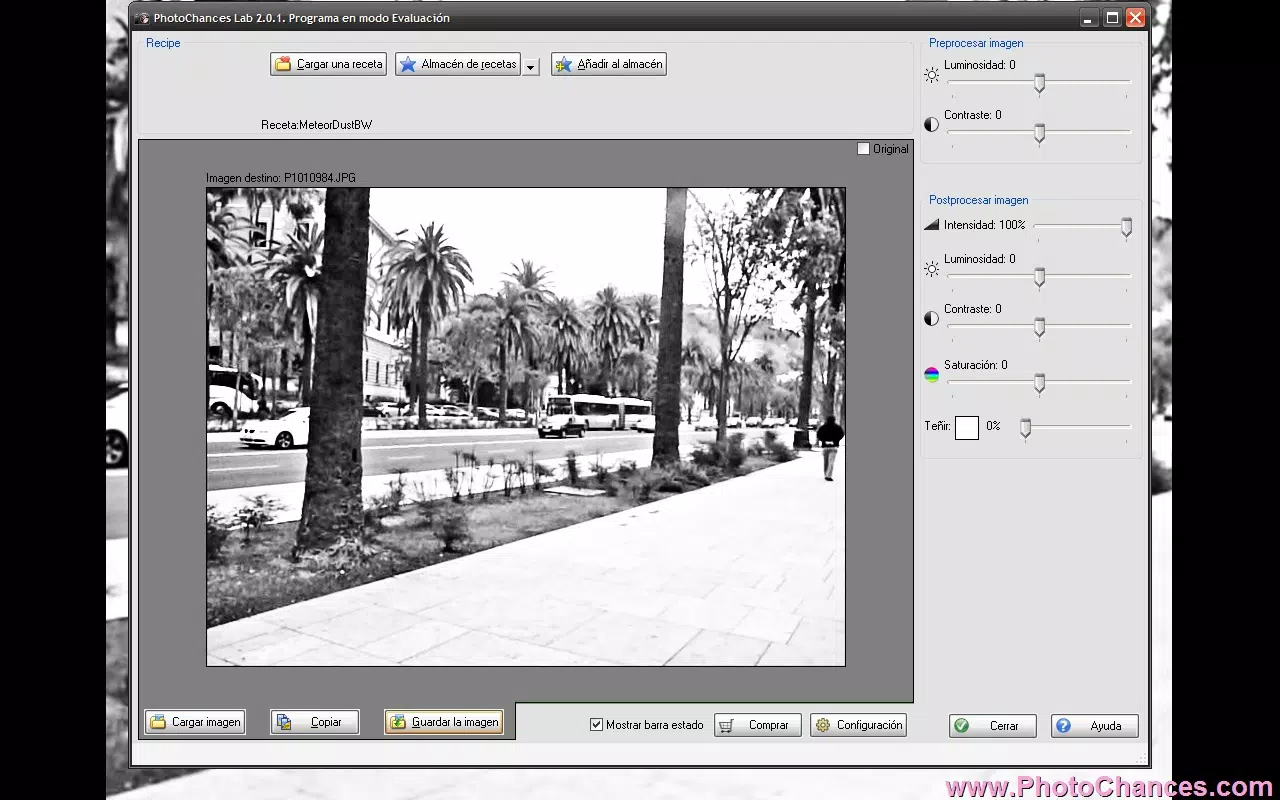
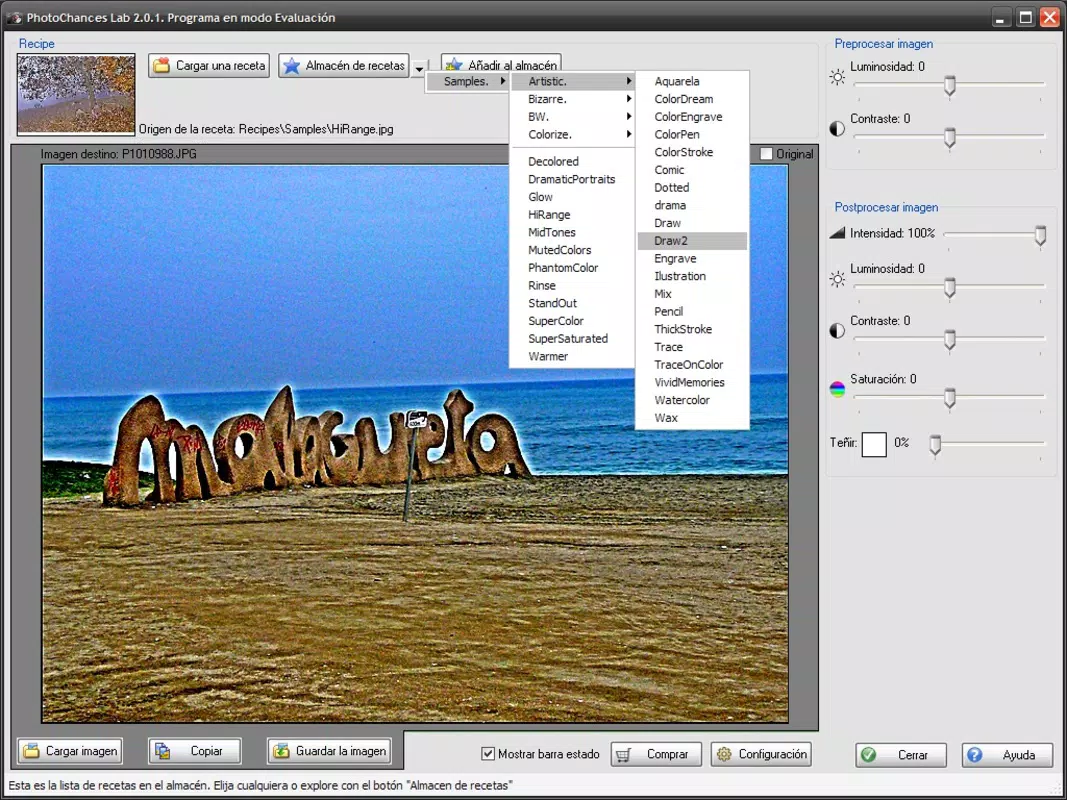
- Lab Mode Filters: This experimental feature enables users to apply a range of filters—either manually or randomly—to their photos. The randomness introduces unexpected artistic results, encouraging creative exploration and discovery.
- Screenshot Functionality: During slideshow playback, users can capture screenshots of any filter combination in real time. This allows for the preservation of unique visual effects without additional editing steps.
- Customizable Effects: Users can fine-tune the presentation by selecting preferred filters, transition styles, and timing intervals. This flexibility supports both consistent themes and varied, spontaneous outputs.
- Easy Screensaver Setup: The app provides a streamlined process to set any created slideshow as a screensaver, integrating personalized visuals into daily device usage.
Interface, UX & Performance
The user interface of PhotoChances appears to prioritize simplicity and accessibility, with a clean layout that facilitates quick navigation between core functions. The app’s design likely emphasizes visual feedback, allowing users to preview changes in real time. Navigation is expected to be intuitive, with clear buttons for creating slideshows, accessing Lab Mode, and managing saved content. Although the developer did not list formal performance metrics, the app’s ability to handle image processing and real-time filter application suggests a stable backend architecture.
Responsiveness across device categories is not explicitly detailed. However, given its long-term availability and compatibility with modern mobile platforms, it is reasonable to assume the app functions reliably on a range of devices. The performance of filter rendering and slideshow playback would likely vary depending on hardware capabilities, but the app appears optimized for smooth operation under typical usage conditions. Stability during extended slideshow sessions and screenshot capture is implied by the functionality described, though specific reliability data was not provided.
Platform Compatibility & Technical Requirements
PhotoChances is available on Android and iOS platforms, supporting mobile devices with current operating systems. The app’s software version is not specified in the provided data, nor are the exact minimum OS requirements. The file size of the application is also not disclosed.
Compatibility information was not fully disclosed, and the developer did not specify formal technical requirements. The app’s release date is confirmed as March 5, 2014, indicating a long-standing presence in the mobile ecosystem. While no updates were mentioned, its continued availability suggests ongoing maintenance.
Pros and Cons
Pros
- Intuitive slideshow creation with customizable transitions and effects.
- Unique Lab Mode for random filter experimentation, promoting creative discovery.
- Real-time screenshot capture during playback for saving standout visuals.
- Simple one-tap screensaver setup for personalized device displays.
- Long-standing app presence since 2014, indicating reliability and stability.
Cons
- Specific technical requirements, such as OS version and file size, were not disclosed.
- Performance on older or low-end devices was not documented.
- No information provided about in-app purchases, ads, or subscription models.
- Customization options may be limited without additional details from the developer.
- Update frequency and future development plans remain unspecified.
FAQ
Is PhotoChances available for both Android and iOS?
Yes, PhotoChances is accessible on both Android and iOS platforms, though specific version compatibility was not listed.
Can I use PhotoChances without an internet connection?
Yes, the app functions offline, as it relies on local image processing and does not require connectivity for core features.
How do I set a slideshow as a screensaver?
After creating a slideshow, users can set it as a screensaver with a single tap, integrating personalized visuals into their device display.
Does PhotoChances support video files?
The app’s description focuses on image-based presentations. Support for video files was not confirmed in the provided information.
Is the app free to download and use?
The app’s pricing was not disclosed. While some features may be free, additional functionality could require in-app purchases or subscriptions.
Final Thoughts
PhotoChances stands out as a distinctive tool for users who value visual creativity and personal expression through image presentations. Its blend of structured slideshow creation and experimental Lab Mode offers a versatile experience that caters to both casual users and those exploring digital art. The ability to capture and save filter effects in real time adds a practical and fun dimension to the creative process.
While technical details remain limited, the app’s longevity and consistent functionality suggest a dependable design. For anyone looking to enhance their photo collections with dynamic effects and personalized screensavers, PhotoChances delivers a compelling solution. Download PhotoChances now.


